Home / Guides / Blur faces in screenshotsRedact faces in a screenshot before it leaves your team
Screenshots leak more than you think: a video call grid, a CRM record with a customer photo, a demo full of real user avatars. Before that image goes into a ticket, a deck, or a public bug report, the faces need to come out. HideFace finds them and covers them in one pass, right on your machine.
Open the screenshot or drop in a folder of them, cover everyone or just the specific people who should not be shown, and export a clean copy. Nothing is uploaded to a web tool, so internal captures stay internal.
Download HideFace for Windows
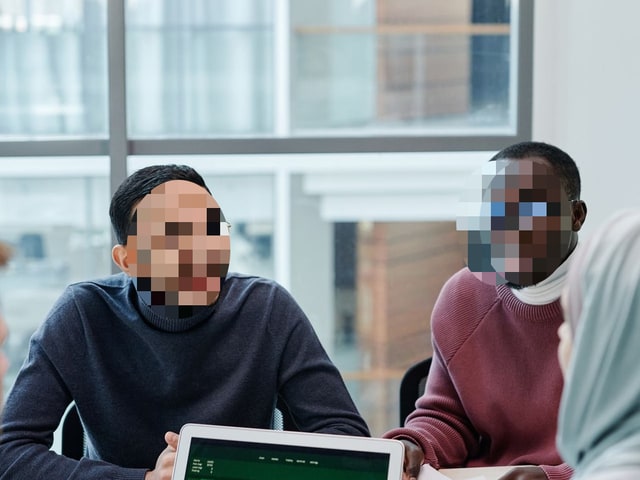
See it in action
Before
After
Colleagues redacted before the capture goes into a ticket or deck
Key facts
Works on screenshots and any image file, not just camera photos
Cover everyone, or only the specific people who should not appear
Black bar and solid styles give a clean, obvious redaction
Batch a folder of captures in one go
Processed on your PC and free for unlimited images
Detection is not guaranteed, so check the image before you attach it
How to blur faces in a screenshot
Open the screenshot, or drop in a folder of captures.
HideFace detects the faces in the image.
Cover everyone, or pick exactly who to redact.
Check the result, then export a clean copy to attach or share. Nothing you import is uploaded.
Why redact before you send
Internal captures never go through a web tool, so they stay internal.
It looks across a whole call grid, not just the person speaking.
Hard styles like a black bar make the redaction unmistakable.
Detection is not guaranteed, so check the capture before you send it.
Frequently asked questions
Does it work on screenshots, not just camera photos? Yes. HideFace works on any image file, including screenshots, and finds the faces in them automatically.
Can I redact only certain people? Yes. Select the specific faces to cover and leave the rest, or cover everyone at once.
Is the screenshot uploaded to a website? No. Detection and covering run on your computer, so the capture never goes through a web service.
Which style is best for a clean redaction? A black bar or a solid fill reads as a deliberate redaction, which is usually what you want in a ticket or report.
Can I batch a folder of screenshots? Yes. Drop in the folder and export them all in one pass.
Related guides
Real estate photo privacy
Protect sources on camera
Blur kids' faces
All guides
HideFace home
Download HideFace for Windows
 Download